PC for Lightroom 2026: the photographer's material guide and IA workflow
Edition 2026-2027 · Processor, graphics card, RAM, AI tools: what really matters for quickly and accurately editing a wedding reportage

Edition 2026-2027 · Processor, graphics card, RAM, AI tools: what really matters for quickly and accurately editing a wedding reportage
Hello everyone!
Which PC to choose for Lightroom in 2026? And how to take advantage of AI without losing your eye for photography? That’s the whole point of this update.
In March 2021, I presented you my «beast» of retouching and three PC configurations for a Lightroom that is a hit (the original article is still online). Five years later, the landscape has changed: AI has taken root in Lightroom Classic, the graphics card has become a key component… and RAM has taken off.
This 2026-2027 edition provides, with sources to support it, a review of the material to be targeted and, above all, of how to work in an «AI mode» without losing sight of your subject. As in 2021, the article is first and foremost addressed to photographers and enthusiasts. But if you are future newlyweds and curious to know what happens between your wedding and the delivery of your photos, welcome!
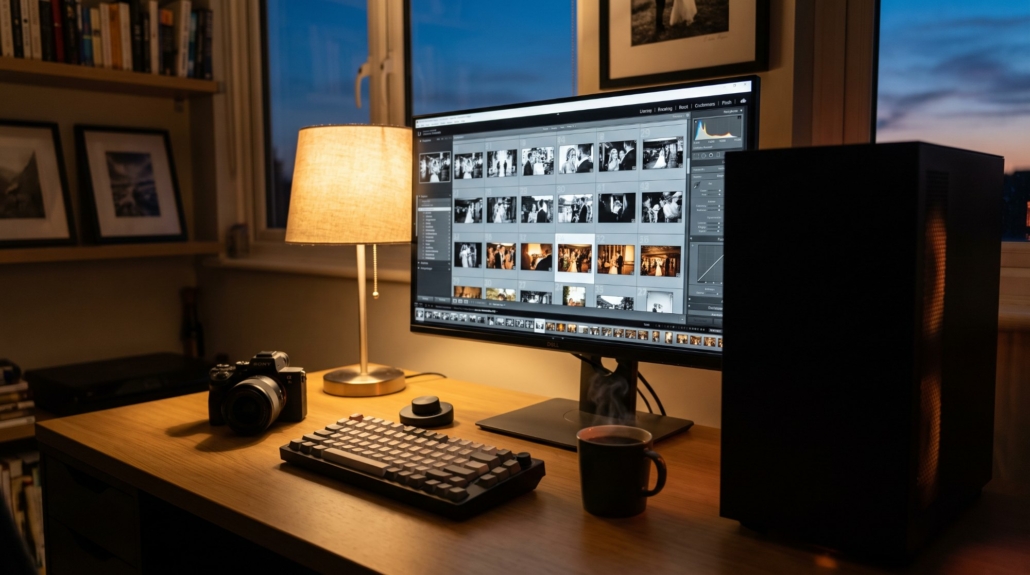
The ideal PC for Lightroom in 2026, in short:
In 2021, I was talking about the tasks Active (moving a cursor, switching from one photo to another) and tasks passive (import, preview, export). This distinction still holds. But it is now necessary to add a third family: the AI tasks. And they don't all play at the same place.
On your local machine: Select the subject, the sky or the people, DeNoise, RAW Details, Super Resolution, and eliminate reflections. It’s your graphics card that does the work.
In the cloud: Generative editing, Firefly or Prompt to Edit in Lightroom (desktop version, in early access). These functions consume Adobe generative credits and depend on your connection, not the power of your PC.
Direct consequence of choosing a PC for Lightroom: in 2021, the software loved hearts. In 2026, it still loves hearts, but it also needs a good graphics card.

| Component | What he does in Lightroom | Recommendation 2026 |
|---|---|---|
| Processor | Imports, insights, dynamic insights | A high-end recent processor. In Puget Systems’ 2026 tests, the Intel Core Ultra 7 270K Plus came out on top in RAW tests from Canon, Nikon, Panasonic, and Sony. |
| Graphics card | Display, AI masks, denoising, export | NVIDIA GeForce RTX 5070 Ti 16 GB, the most suitable for AI applications. AMD Radeon RX 9070 XT 16 GB if you use AI tools sparingly. |
| RAM | Fluidity, work on multiple software | 64 GB minimum DDR5, 128 GB with Photoshop or video in parallel. |
| Storage | System, catalog, cache, files | NVMe PCIe Gen 4: 1 To for the system, 2 To for the catalog, cache, and files. Gen 5 is reserved for very high-end configurations. |
And the Ryzen CPUs that I adored in 2021? They remain excellent processors. But in the latest Puget Systems tests on Lightroom Classic, Intel holds the lead. I follow the same rule as back then: no battle of the bands; we take what works best at the time of purchase.
Video memory (VRAM) It does not directly accelerate calculations. However, its lack causes slowdowns in the display. 16 GB is a good level in 2026.
My configuration in 2021 with 3 drives (system, files in progress, catalog and cache) remains perfectly valid. No need for RAID either: a good NVMe Gen 4 is more than enough for Lightroom.
As in 2021, I freely drew inspiration from the configurations recommended by Puget Systems (May 2026) to offer you three «credible» ones.
For a GOOD Lightroom computer
Processor: Intel Core Ultra 7 270K Plus
Graphics card: AMD Radeon RX 9070 XT 16 GB
RAM: 32 GB DDR5 (the strict minimum; you can feel the limit with several open programs)
Disk: NVMe Gen 4 1 To
For A BETTER Lightroom PC
Processor: Intel Core Ultra 7 270K Plus
Graphics card: NVIDIA GeForce RTX 5070 Ti 16 GB
RAM: 64 GB DDR5
Disks: NVMe Gen 4 1 To (system) + NVMe Gen 4 2 To (catalog, cache, current files)
And finally the BÂTARD configuration
Processor: Intel Core Ultra 7 270K Plus
Graphics card: NVIDIA GeForce RTX 5090 32 GB (a large case is recommended)
RAM: 128 GB DDR5
Disks: NVMe Gen 4 1 To (system) + NVMe Gen 5 4 To (data)
It’s for those who also do video, giant panoramas or heavy Photoshop work.
And what about the Mac side? Apple Silicon chips have made enormous progress, and Adobe will further accelerate Denoise on these chips in 2026. The MacBook Pro M5 Max is the most powerful laptop in Puget’s tests, not far behind a tower. It’s the best choice for editing and sorting on the go. At the same power level, a PC for Lightroom on tour remains cheaper and more scalable.


In 2021, I told you that the components were unavailable and that my GPU had taken 25 % in a year. In 2026, it’s the RAM that’s struggling. Manufacturers reserve their production for AI servers, and a 32 GB DDR5 kit (2 x 16 GB) cost about €620 in Europe in the summer of 2026, compared to less than €150 before the crisis. No return to normal is expected until 2027.
My advice:

Lightroom Classic now integrates the assisted tri (Assisted Culling), released from beta in 2026. It detects blurry photos and closed eyes, and on group photos, it evaluates each face separately. One Duplicate detector It also groups very similar images in piles.
To go further, Aftershoot Select (approximately 10 $/month per year) manages the bursts and offers a «cull to target»: you set the number of photos to keep.
My opinion: the AI does an excellent first pass, but the final word remains with the photographer. An eye half closed at a burst of laughter can be the wedding photo.
The Personal AI profiles learn your style based on your past retouching:
These tools provide a consistent foundation for the entire reportage. We then go back behind the scenes for the fine-tuning adjustments. Even in Lightroom, the AI masks This saves a lot of time, and selecting the subject is much more precise when it comes to hair since the June 2026 update.
De-noise (on RAW only) saves the gloomy churches and the dancing evenings. Super Resolution help on a tight frame, and the Elimination of reflections on a window.
The 2021 tip still holds true: launch Denoise on the affected series at the end of the day, as a passive task.
The generative suppression (Adobe credits, limited output resolution) removes an auxiliary output panel or a dangling cup. For batch skin retouching, Evoto works with credits debited at export.
Golden rule in documentary reporting: clean up, don’t invent.
In the library, the «AI Edits» and «Generative AI Edits» metadata filters find all the images that have been edited by AI before export. This is convenient for checking that a generative removal has not left any strange traces.
And the new one activity manager Pause background tasks (face detection, duplicate detection, assisted sorting) when you want all the power to edit.

Even the best PC for Lightroom gets sluggish if it’s not properly set up. Here are my settings:
No. In fact, couples ask me this question too.
AI helps me sort faster, lay down a consistent color base, clean up an image. It doesn’t know why one look counts more than another, nor which photo really tells your day. The choice of images, their order, the rhythm of a reportage: that remains my job.
The time gained, I reinvest it in what matters most: the meetings with the couples, the day itself, and a carefully delivered product.
Which PC to choose for Lightroom in 2026?
A high-end recent processor, a graphics card with 16 GB of VRAM (type RTX 5070 Ti), 64 GB of DDR5 RAM, and two NVMe SSDs: one for the system, one for the catalog, the cache, and the files.
How much RAM for Lightroom in 2026?
32 GB is the strict minimum. 64 GB is recommended for professional use with AI tools, and 128 GB if you work in parallel in Photoshop or video.
Is the graphics card important for Lightroom?
Yes, more so than in 2021. Denoise, AI masks, Super Resolution, and export rely on it. The generative functions, however, run in the Adobe cloud.
Mac or PC to edit your photos?
At the same power level, a PC for Lightroom in a tour is cheaper and more flexible. The MacBook Pro M5 Max, on the other hand, is the most powerful laptop in Puget Systems' tests, ideal for working on the go.
Aftershoot or Imagen?
Aftershoot works locally, with a subscription fee per image. Imagen works in the cloud, with a per-photo payment or a flat fee. Both learn your style based on your past retouching: test them on a full reportage before choosing.
Prices and versions verified in October 2026; they are subject to change.
The illustrations in this article are generated by AI. My wedding photos, on the other hand, remain 100% % real.
Want to see what this workflow can do in a real reportage? Discover my equipment or let's talk about your wedding.